
Guide
Common problems
The most common operational questions are usually about blocked features, missing notifications, incomplete sign-in, or warning banners. Each entry names the exact state to check and the action to take.
What this section covers
- Why does "Create" in the list manager show a warning and the list doesn't create: an account is in demo mode. Demo blocks the creation of working lists. Log in to the account and sign up.
- Why email sign-in does not finish after entering the password: new email accounts start in demo mode and require opening the confirmation link sent to that email before the account is fully active.
- Why the Telegram bind link does not work or shows as expired: the bind link is valid for 5 minutes only. If the time has passed, return to Account settings and generate a new link.
- Why Telegram is not available as a delivery channel option: Telegram is not yet bound to the account. Go to Account settings and complete the Telegram bind flow first.
- Why Email is not available as a delivery channel option: the email address is either not set or not confirmed. Go to Account settings, enter the email, and open the confirmation link from the email that arrives.
- Why a price notification was not delivered to Telegram or email: check three things — is the delivery channel set? Is Telegram bound / email confirmed? Is the account subscription active? All three must be true.
- Why the local alert sound is not played when activated inside the application: the tab may be silenced, the device's volume is at zero, the sound is not selected, or this tab is not the current active input-receiver.
- Why doesn't the notification appear in the app window, even though the event worked: the "Notifications switch in the app window can be turned off in Settings. It is not connected to notifications in the OS and delivery to Telegram/email.
- Why the coin list loads slowly or shows a warning about data synchronization: more than 300 coins are enabled for one exchange/market pair. The warning is expected behavior and not an error — the data is loading, but it takes longer than for smaller lists.
- Why "Trade flow" gets heavy or connects too many streams: The "All List" mode tracks every coin in the current list. If you need to exclude only a few characters, use exceptions; for large lists, use "Selected Coins" and mark only the necessary tools.
- Why settings import/export or list import buttons are disabled: these transfer actions are blocked in demo and trial access states. List export is separate and can still be used when lists are available.
- Why the import of settings or lists is rejected: it's another export type, an unsupported version, an empty/too big file or it has an unknown field, an incorrect type, an off-range value, an unacceptable timeframe/theme, or a broken data connection.
- Why the pulse alert stopped repeating: the rule selects "Manual mode, and after the first event it is put on pause before the command "Resume", or a pause is added for a given interval.
- Why, in multiple open tabs, the sound, the toast, and the system notification come from only one: tabs sync the tape, and the presentation is executed by one focused lead tab to avoid duplicate.
- Why UID Tiger/Vataga cannot be chosen for extension: it may not have a sufficient available balance or an outdated record.
- Why the transfer of brokerage loans is not yet complete: the original account must confirm the transfer within 24 hours. The entire balance is transferred UID, but the subscription time already calculated remains on the original account.
- Why the automatic graphical pattern is not visible: the pattern search can be turned off, the current timeframe may not be selected, the pattern may not have passed the minimum quality, age or distance evaluation filters or may have been hidden by a validated mode only.
- Why metrics look different when you open a product in another browser: make sure you're logged in to the same account. Settings is stored on the server and automatically uploaded when you log in.
- Why the anonymity demo settings didn't appear on another device: An anonymous demo only stores the settings in the current browser because there's no user account yet for syncing.
- Why the server price notification went to inactive without activation: subscription expired while the notification was active.
- Why is the OI empty: the OI column can be turned off, the tool can only exist in spot, or in Change mode there is no comparison point yet. Switch the OI to "Value" to check if the current value is available.
- Why does the OI type say "Wait for data..." or "No data": "Wait for data..." means that the OI request has not yet been completed; "No data" means that the selected tool does not currently have the appropriate OI value for that list cell.
- Why OI has a value but no color: Change mode requires the current and past point of OI for the selected comparison period. "Value" mode is only colored by a gradient when displayed in the quotation coin; displaying in the base coin leaves the OI cell without color.
- Why system notifications Android don't show up: permission for notifications Android may be blocked, OS notifications may be turned off in Settings, or a specific event type may only show up as a toast within an application.
- Why the Android update opens the download instead of Telegram: current links to the Android update lead directly to the updated APK on watchlist.top.
- Why the graph looks empty after you switch the coin the candles are not visible, the price area is empty: the scale of the price scale was recorded manually by dragging the axis.
- Why opening a ticker in Tiger.Trade or MetaScalp doesn't change anything: the terminal may not be running, the local server/API may be turned off, or the selected link/link group may not exist.
- Why is the voice alert not read, although the event is visible on the tape: voice alerts depend on the voice of the browser/device. The selected voice may not be available, the browser may block speech before the user's first action, the tab may be silenced or the speech engine of the device may be turned off.
Key screens and controls
- Demo warning dialog that appears when trying to create a list without an active subscription.
- Account settings showing email unconfirmed state with the "Confirm" button.
- Account settings showing the Telegram bind section in the "waiting for bind" polling state.
- Coin list showing the data sync warning banner for a large list.
- OS/browser notification permission state in Settings or browser site settings.
- Settings "Trade stream" with options for "All list", exclusions and "Selected coins".
- Terminal integration warning after failed Tiger.Trade or MetaScalp opening.
- Settings import/export or list import tab with a disabled transfer button in demo/trial state.
- Chart patterns settings and a chart with no matching pattern visible.
Step-by-step flow
- If the demo warning is blocked, open your account settings and check the access status.
- If email confirmation was not received: check the spam folder. If nothing arrived, return to Account settings and resend the confirmation email.
- If the Telegram bind link expired: go to Account settings → Telegram bind section → generate a new link. Open it within 5 minutes.
- If Telegram is not receiving price notifications: verify that (1) Telegram is bound, (2) Telegram is selected as the delivery channel, (3) the subscription is active, and (4) the bot is not blocked in Telegram.
- If the toast or sound doesn't work: check that at least one tab Watchlist.top is focused, not muted, and has the right sound set. If "Voice is selected, check another voice or normal sound and click inside the app once.
- If the alert appears in the Notifications feed but no toast appears in the corner, open Settings and check that "In-app notifications" is enabled.
- If the coin list shows the data sync warning: this is expected when 300+ coins are enabled. Wait for the initial sync. Consider reducing the coin count if the delay is too long.
- If "Trade flow" is too heavy: for a few unnecessary characters, leave "All list" and add exceptions; for larger lists, switch to "Selected coins", use the exchange/market filters and leave only the necessary tools marked.
- If the pulse rule shows a pause, open the single alert tape and press "Resume" near the rule or "Resume all. For regular repetition, change the mode to "Always; for automatic delay, select "Timed.
- If you see the event everywhere with multiple tabs, but the sound and the toast appear in only one, it's a standard: the tape is synchronized between tabs, and the notification is displayed by a focused lead tab.
- If import/export of settings or import of lists is disabled: check the account settings and make sure that the account is not in demo mode and not during the trial access. Export lists are not covered by this block.
- If there is no pattern on the chart, open Settings → "Chart", turn on the patterns, add the current timeframe, and if necessary, reduce the "Minimum estimate" value, weaken the age and distance filters, or turn off the confirmed only mode.
- If the settings are missing after you change your browser, make sure you are logged in to the same account. Settings is stored on the server and automatically downloaded when you log in.
- If the settings from the anonymous demo are missing on another device, log in first. Settings anonymous demo are local to one browser and not synchronized.
- If the OI is empty or not colored: open Settings → "Common" → "Open interest", check the feature's enablement, switch between "Value" and "Change", check the display in the quotation/base and make sure that the selected comparison period has a value.
- If the system notifications Android do not appear: check the permission Android for the app, the notification switch in the OS in Settings, and whether the event appears as a toast inside the app at least.
- If the update button Android does not open Telegram: for current collections this is expected.
- If the external terminal was not opened, check that the selected terminal is running, the local server/API is on, and the selected link group Tiger.Trade or link MetaScalp exists.
- If the brokerage UID is not available for extension, update the data and check the available balance for this UID.
- If the transfer of the brokerage credit is pending, open the original account and confirm the transaction within 24 hours.
Screenshots
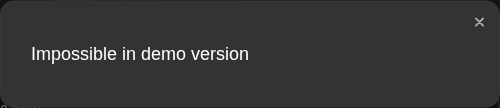
Demo warning when trying to create a working list
The warning explains why list creation is blocked in demo mode and which action unlocks it.
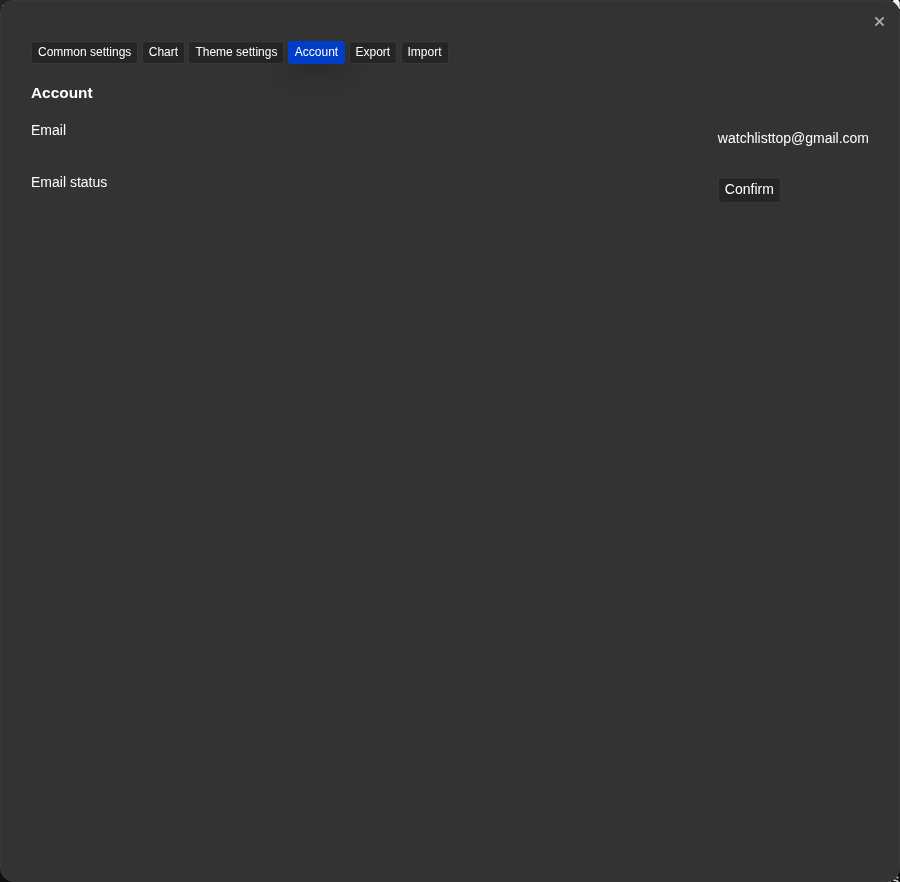
Account settings — email not confirmed state
The unconfirmed email badge and send button point to the next step.
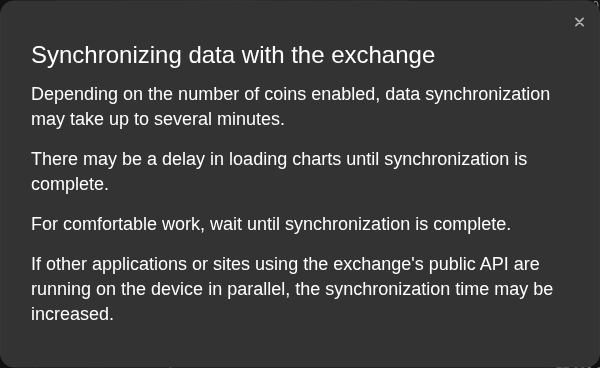
Data sync warning for a large list
The warning banner appears when more than 300 coins are enabled and the initial sync needs more time.
Trade flow in the selected currency mode
Selected symbols with exchange and market filters reduce stream load for large lists.
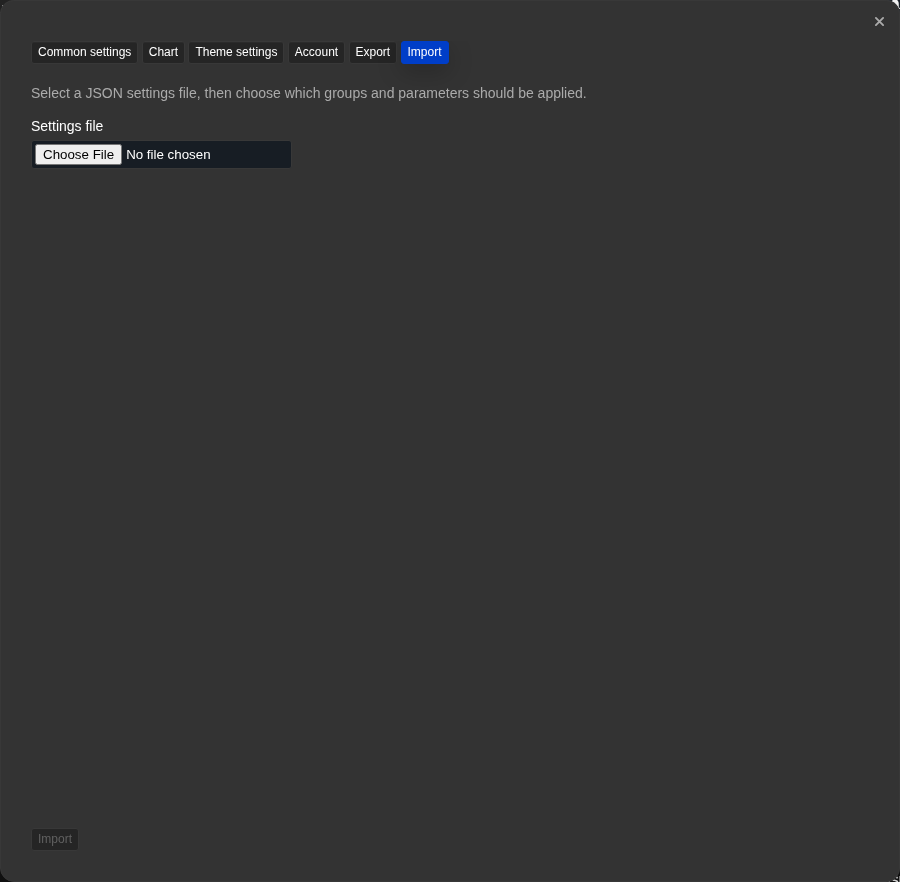
Settings transfer or list import locked by account state
Disabled transfer actions in demo or trial state are explained by the account status nearby.
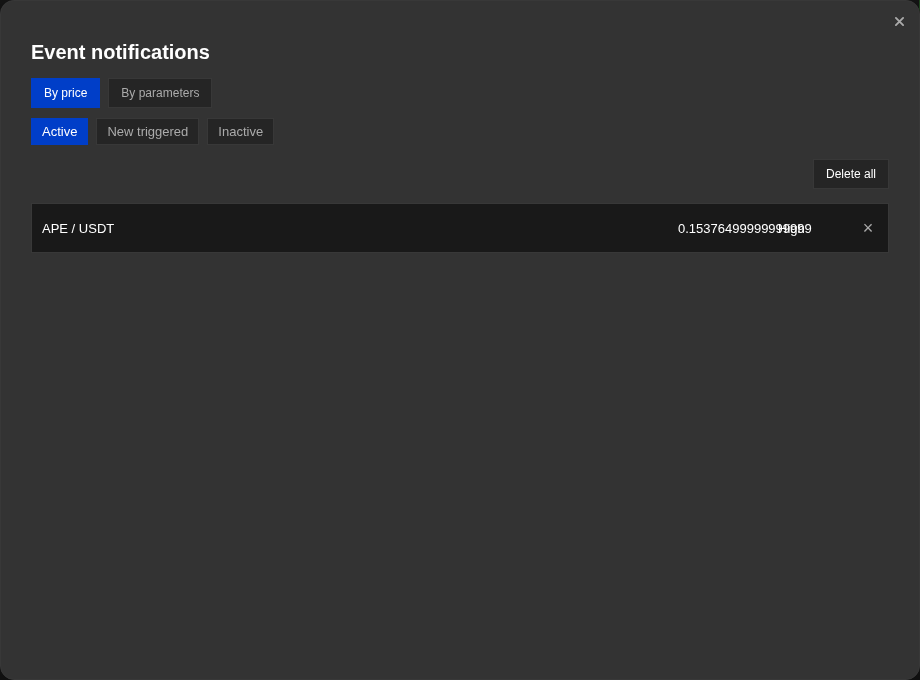
Price notification in Inactive state after subscription expired
A previously active notification can move to Inactive after subscription expiry and can be reactivated later.
Operational notes
- Demo mode is not an error state. It can be anonymous without sign-in, signed-in without a subscription, or the default state for new email registrations. The product is still usable in demo mode; specific features are limited.
- The Telegram bind link expires in 5 minutes by design. This is a security measure. Always generate a fresh link and use it immediately.
- OS/browser notification permission is managed by the browser, not the application. The application cannot override a "denied" permission — change it manually in browser settings.
- The data sync warning for large lists is informational. The data is loading; no action is required unless you want to reduce the coin count.
- "Trade flow" is useful for small focused lists throughout the list. Exceptions are convenient if you need to skip only a few characters; for large lists it is usually best to use the selected coins to avoid creating overload on the browser and streams.
- Terminal integration settings are local-environment dependent: the app cannot open a terminal chart if the desktop terminal is closed or its local API is disabled.
- Settings export files and list export files are separate formats. A settings import cannot read a list export file, and a list import cannot read a settings export file.
- Both importations are atomic: first the entire file is checked, and then the record is executed.
- A single alert tape stores up to 200 local events per user and synchronizes between tabs. This is not a server-to-server inter-device archive; another device may not have a previous local history.
- In the pulse mode "Manual", the pause after the event is only taken by the command "Resume". The mode "Timed" automatically takes it off after a set time, and "Always" does not suspend the rule.
- Each UID Tiger/Vataga has a separate accumulated, spent, and available balance. One UID is used for extension; transfer between accounts moves its entire balance after being confirmed by the source within 24 hours.
- Automattic overlays of patterns are filtered results of the calculation. If no pattern passes the current filters, the graph will simply not show the pattern.
- The server price notices are not deleted when the subscription expires they go into inactive.
- Settings is stored on the servers Watchlist.top only after you log in. An anonymous demo stores settings locally in the browser.
- OI cells in Change mode can be empty when the selected comparison value is not available. OI cells in "Value" mode can also be colorless if the display in the base coin is included.
- The permission to Android-notices is managed by Android. Application can use the permission when it is issued, but cannot force the notification after the ban.
- Important list columns also include Score, round numbers R_N, detected patterns, and optional exchange-account PnL. NATR is available both as a list metric and as a chart indicator.
- All charts means every coin in the active list in the current sort order; URL paths may still use the historical sorted-charts slug.
- Additional defaults: Esc cancel/close, Ctrl+B terminal, Ctrl+Z All charts, Home/End first/last, Page Up/Page Down pages, and hold Shift for the temporary ruler. Drawing actions without a default can also be assigned in Hotkeys.
- The "Hand" auto-sorting interval does not shift the graphics itself; the 2/5/10/30/60 second variants temporarily show "Pause" during scrolling, gestures, drawing and open panels.
When to use it
- When something should already work but the visible behavior does not match what you expect.
- When you want to start diagnosing from concrete checks rather than general theory.
- When an alert fired but you got no notification, or a feature appears unavailable for no obvious reason.
When not to rely on it
- If you are still learning the product for the first time — start with the quick-start guide.
- If your question is only about a formula or where a specific control is located.
Typical interpretation mistakes
- Skipping explicit account, channel, and alert state checks and jumping straight to vague reassurances.
- Ignoring whether you are on a demo, trial, or paid plan when features seem locked.
- Assuming the UI appearance alone proves that server delivery or account verification is already complete.
Algorithms and formulas to understand
- Why demo mode blocks list creation but still allows the interface to load and be explored
- Why anonymous demo cannot sync settings before a user account exists
- Why the 5-minute bind link expiry is enforced and what happens to a partially completed bind
- Why OS/browser notification permission cannot be re-requested after denial and must be reset via browser settings
- Why are the exceptions in the "Deal List" only for a few missed symbols, and for large lists, it's better to use the selected coins
- Why external terminal opening depends on local desktop terminal state rather than only Watchlist.top settings
- Why settings import and list import reject files of the wrong transfer type
- Why is an invalid import rejected entirely before recording, rather than leaving partially applied data?
- Why tabs sync a single tape, but only the focused leader shows the sound, the toast, and the system notification
- Why can't different brokerage balances be combined for one extension and why does a transfer need a confirmation of the original account
- Why graphic patterns can disappear when you change filters or candles
- Why the OI change mode can be empty until the selected comparison point appears
- Why after the Android notification permission needs to be corrected in system settings
- Why do the Android update links use the APK file on watchlist.top