
Guide
Strategy setup and situation tracking
Strategy setup is a guided way to configure several related parts of Watchlist.top at once. It does not place trades or choose position size, leverage, entries, stops, or exits for you.
What this section covers
- Where to open Strategy setup on desktop and mobile.
- What the Market, Strategy, Risk style, and Summary steps change.
- How to review and selectively apply changes to the coin list, metrics, chart overlays, and scoring.
- How the session-only situation tracker detects and follows coins whose Score crosses the selected threshold.
- What Watching, Confirmed, Partial, Invalidated, and Expired mean.
Key screens and controls
- On desktop, open Help (?) → Strategy setup while the app is in list mode. On mobile, use the main menu.
- Select one or more exchanges (Binance, Bybit, OKX), Spot and/or Futures, a strategy from scalping to position trading, and a risk style.
- The Summary shows the Score threshold and separate checkbox groups for the coin list, metric settings, chart overlays, and scoring.
- Detected situations appear in Notifications → Situation and as a status dot in the Score cell; hover the score to inspect the explanation and progress.
Step-by-step flow
- Open Strategy setup from Help (?) while a coin list is active.
- Choose exchanges and market types. More than one exchange may be selected.
- Choose Scalping, Intraday trading, Medium-term swing, or Long-term position.
- Choose Aggressive, Traditional, or Conservative risk style.
- On Summary, set the situation threshold from 60 to 95. A lower value produces more candidates; a higher value applies stricter selection.
- Review each change group. Choose whether to replace the current list or create a new list, and whether that list should update automatically. Clear any group you do not want the wizard to change.
- Click Apply to save the profile and apply the selected groups together. Skip stores the profile choice but does not apply the proposed list or settings.
- After applying, watch the Score column and the Situation tab. The tracker scans only coins already present in the active list.
Screenshots
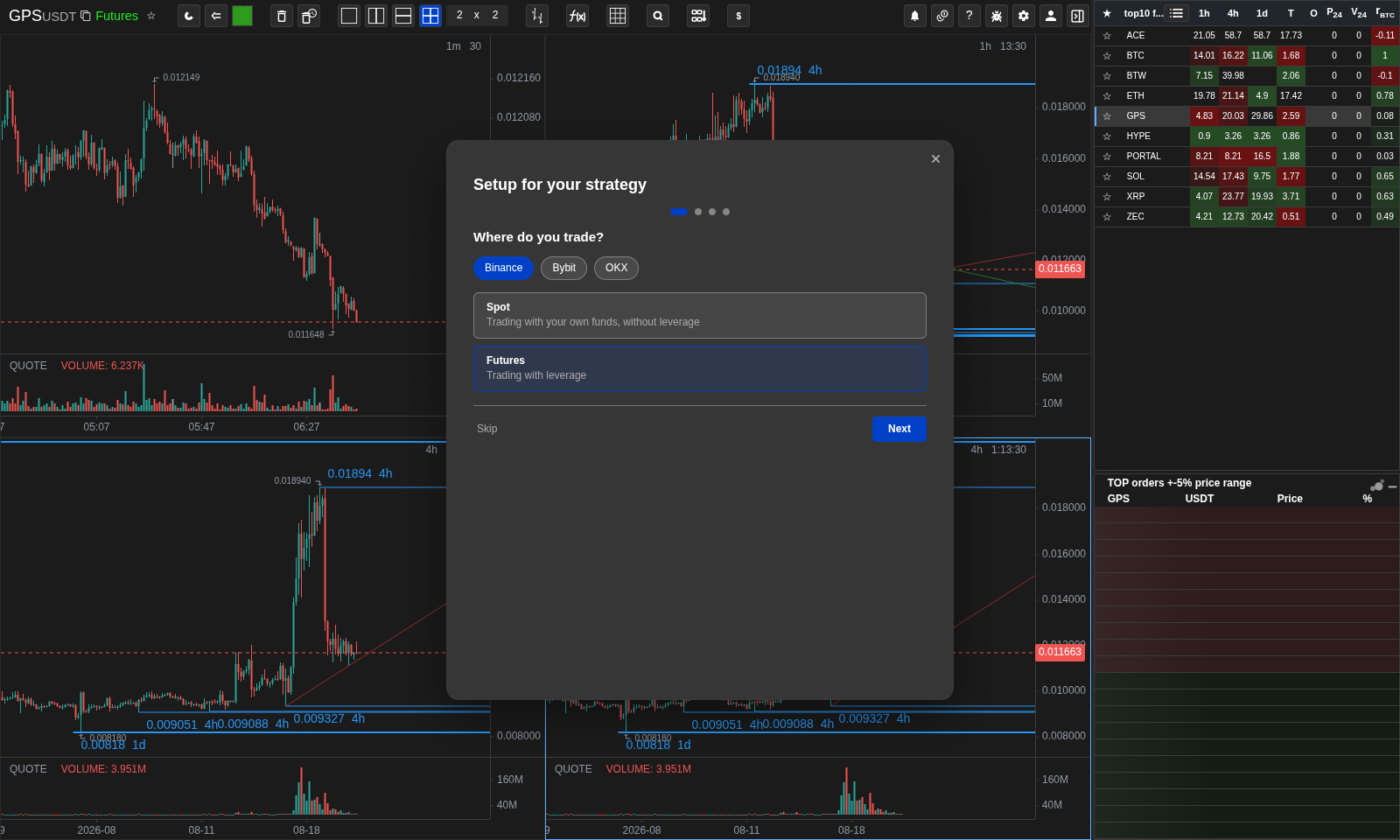
Strategy setup: market selection
The first step supports multiple exchanges and Spot/Futures selection.
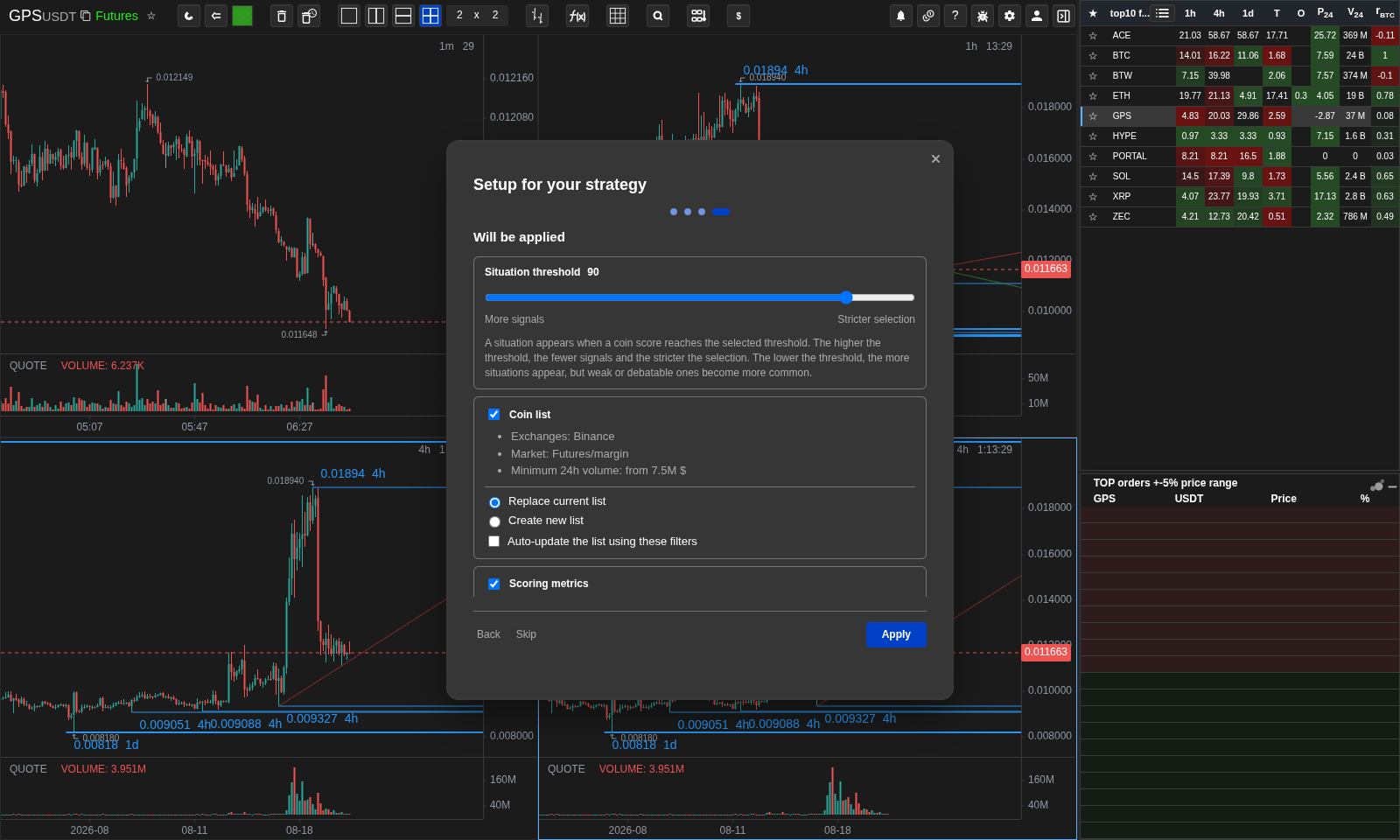
Strategy setup: summary before applying
Review the threshold and every settings group before applying changes.
Operational notes
- The situation tracker runs in the browser, scans the active list every 15 seconds, and clears on reload. It does not scan the whole market.
- A coin enters a three-hour cooldown after a situation is created. Finished situations remain visible for up to 24 hours within the same session.
- The watch window depends on the strategy: about 1 hour for scalping, 6 hours for intraday, 3 days for swing, and 10 days for position trading—only while the app remains open.
- A notification is created when a candidate is first detected, not on every later status transition.
- Scores and tracker statuses are screening context, not trade advice or an execution signal.
When to use it
- Use this wizard when you want a coherent baseline for a trading style without configuring every related metric separately.
When not to rely on it
- Do not treat the generated setup or tracked status as a substitute for risk management and manual market review.
Typical interpretation mistakes
- Expecting situations to persist after reload, or expecting the tracker to discover coins outside the active list.
Algorithms and formulas to understand
- How Score threshold crossing creates a session situation, and how favorable, adverse, partial, and expiry thresholds determine its later status.