
Guide
Reviewing your own trades
Use read-only exchange accounts to compare entries and exits with levels, orderbook context, OI, and funding.
Disclaimer and responsibility
- The scenarios in this guide are educational examples, not financial advice and not a promise of profit.
- WatchlistTop can help structure market analysis, but every concrete trading decision is made by the trader.
- The trader is responsible for position size, leverage, stop placement, exchange risk, liquidation risk, and the consequences of each trade.
- Crypto assets and futures are high-risk markets. A strategy can produce losses even when all screener conditions look valid.
Market
Connected read-only exchange accounts. The goal is analysis, not execution.
Timeframes
- Use the timeframe where the trade idea was planned.
- Review on one higher timeframe to understand whether the entry fought the larger structure.
- For scalps, 1m/5m can show execution quality; 15m/1h shows context.
Screener tools
- Exchange accounts with read-only API keys.
- Closed positions and trades on the chart.
- Open positions and limit orders when reviewing current exposure.
- Levels, trends, OI, funding, and orderbook context around entry and exit.
Basic setup
- Connect exchange accounts with read-only permissions only.
- Select the timeframes where trading markers should appear.
- Use the "$" button on the chart to quickly show or hide trading markers.
- Load trading history for the account if older closed positions are needed.
How to read the setup
- A good review answers why the entry was taken, where the idea was invalidated, and whether the exit followed the plan.
- Compare losing trades with levels and volatility: many losses come from entering too late or using a stop that does not match current volatility.
- Compare winning trades too: good outcome does not always mean good process.
When to skip
- Do not judge a trade only by profit or loss.
- Do not move the original plan after seeing the result.
- Do not compare trades without normalizing risk and volatility.
Risk management
- Track whether actual loss matched the planned risk.
- If repeated losses exceed planned risk, reduce size before changing the strategy.
- Review leverage separately: a correct direction can still become a bad trade if liquidation risk was too close.
Screenshots
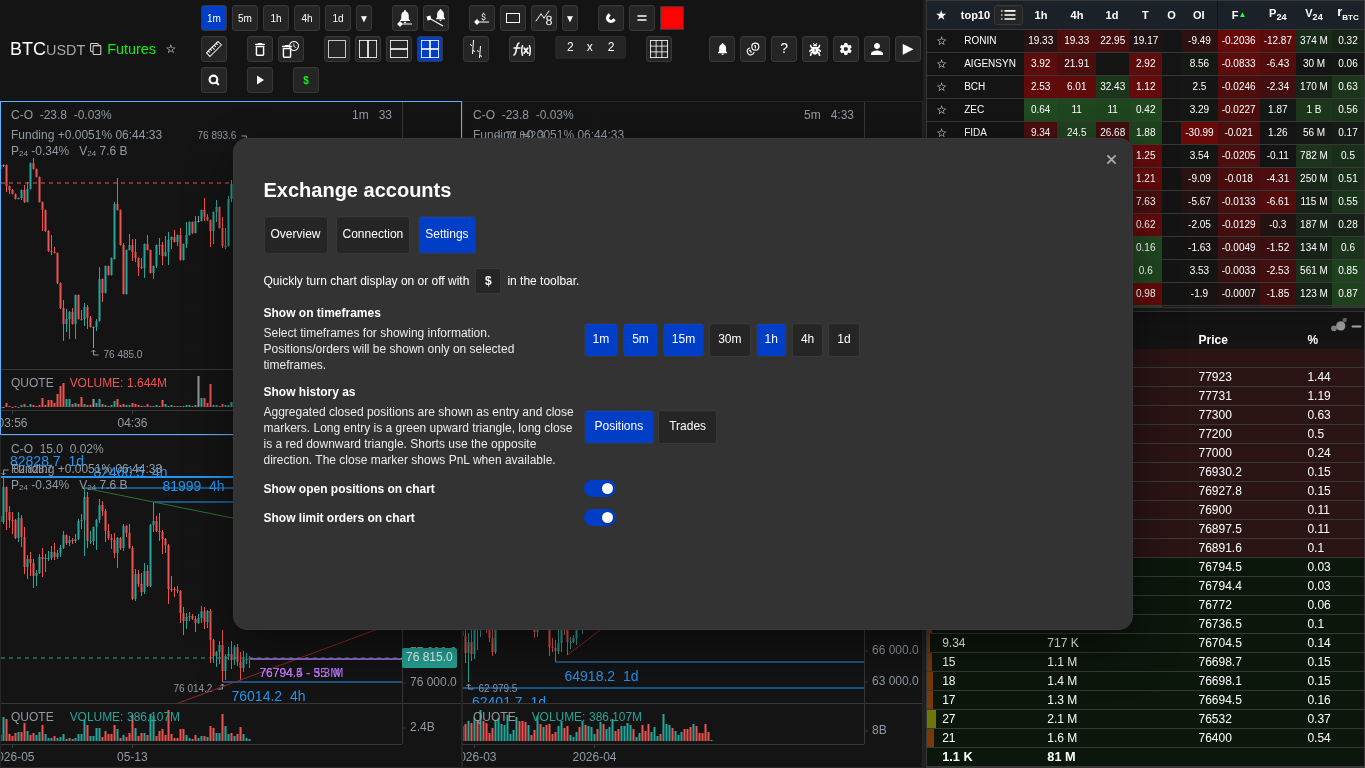
Trading marker settings
Trading markers are controlled by timeframes, display mode, and the quick "$" button.
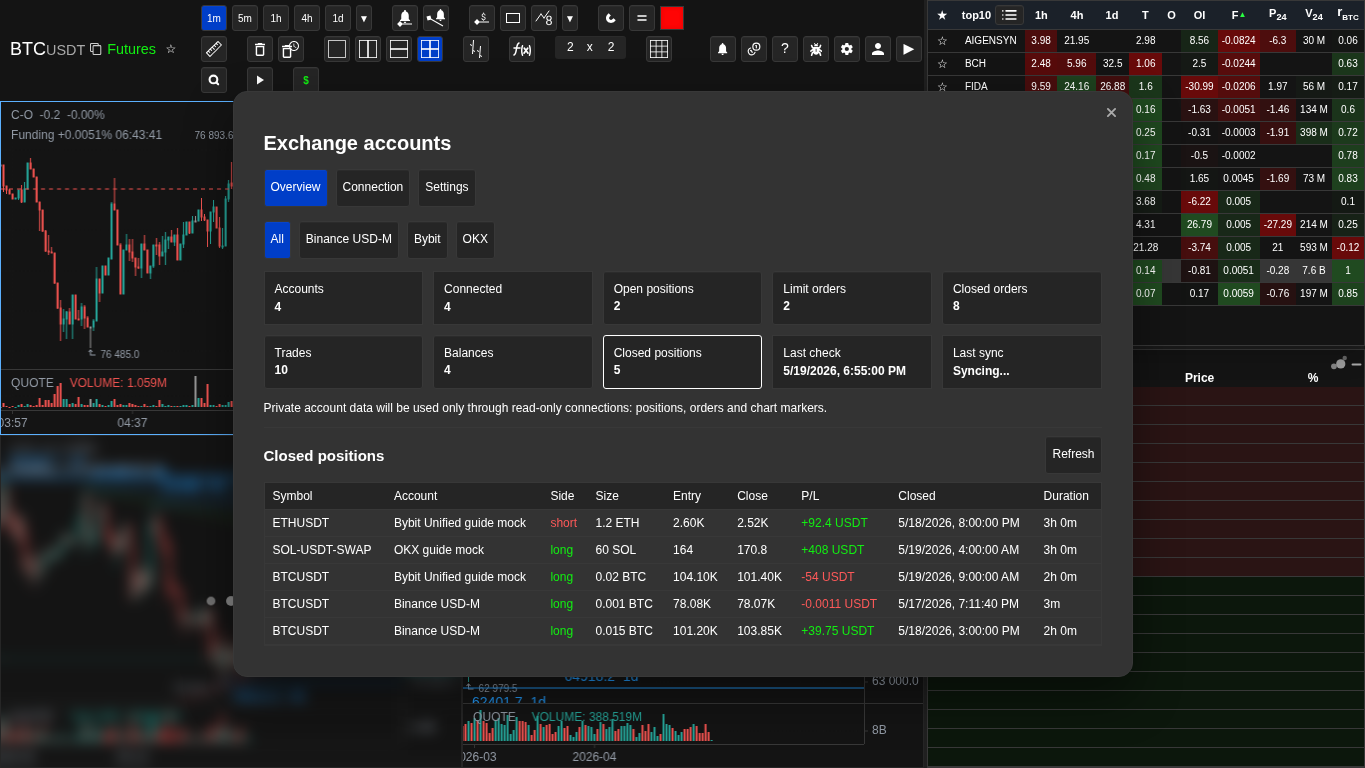
Closed positions table
Tables help inspect the account data behind chart markers.